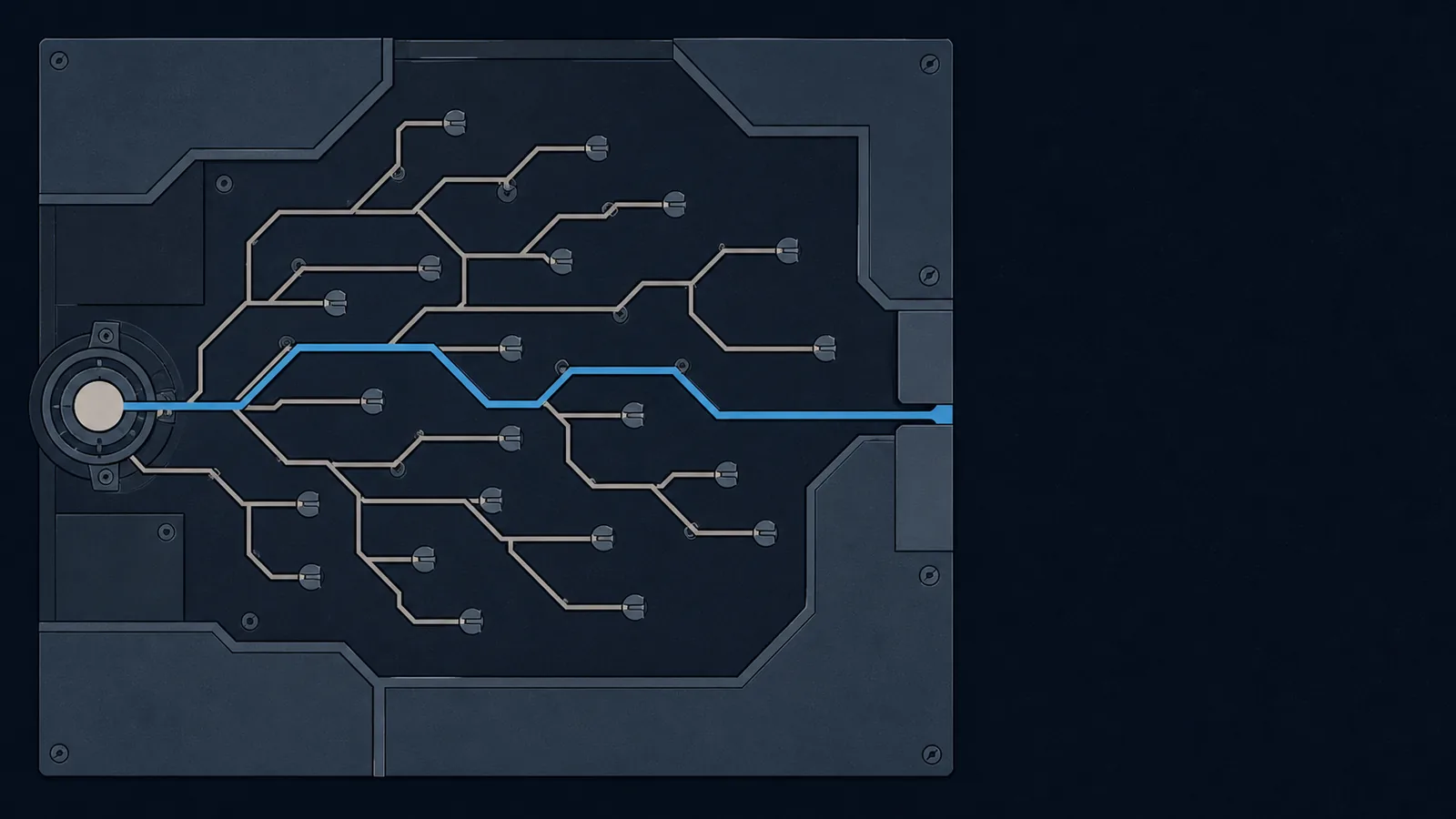
The first time I ran an angr script, I felt like a fraud
The first time I ran an angr script and it printed picoCTF{...}, I felt like a fraud. angr is a Python framework for binary analysis. I'd copy-pasted somebody's GitHub script that used it. I had no idea what claripy.BVS was. I had the vaguest sense of what symbolic execution(a program-analysis technique that explores many execution paths at once by treating inputs as symbolic variables) meant. And yet my terminal had the flag. If you've had that exact moment, this is the post that should have followed it.
People reach for angr on Capture-the-Flag (CTF) reverse-engineering challenges where the binary checks an input and you'd rather not unwind every branch by hand. The reputation it has, fairly, is that it works like a charm or it eats your RAM and dies. The reputation it deserves is more boring. angr is two pieces glued together: a CPU emulator that pretends to run the binary, and a constraint solver (a tool that takes a set of equations like x > 5 and x*x == 49 and returns a value of x that makes them all true). Once you can see those two layers separately, every "just use angr lol" script becomes a thing you can read, debug, and write.
The hard part isn't writing the four lines. It's knowing the binary well enough to fill in the four blanks correctly.
This post is for picoCTF beginners and anybody who's solved a few reverse challenges and is tired of feeling like they cheated. By the end you'll have a four-line skeleton, a debugging table for when the script returns nothing, and a five-question checklist for deciding if you should reach for angr in the first place. The challenges I anchor things to are classic-crackme-0x100 (picoCTF 2024), autorev-1 (picoCTF 2026), and MATRIX (picoMini by redpwn). One where angr glows. One where it needs help. One where it dies.
Every angr script does the same four things
Open any angr writeup on the internet. The script will look elaborate. It probably has imports you've never seen, a comment about a hook, maybe a custom subclass. Strip all of that away and what's left is four moves, in the same order, every time.
import angr, claripy# 1. Load the binary.proj = angr.Project('./binary', auto_load_libs=False)# 2. Plant a symbolic input.INPUT_LEN = 32password = claripy.BVS('password', 8 * INPUT_LEN)state = proj.factory.entry_state(stdin=password)# 3. Choose how exploration ends.simgr = proj.factory.simulation_manager(state)simgr.explore(find = lambda s: b'Correct' in s.posix.dumps(1),avoid = lambda s: b'Wrong' in s.posix.dumps(1),)# 4. Ask the solver to finish the job.if simgr.found:sol = simgr.found[0]print(sol.solver.eval(password, cast_to=bytes))
find/avoid pair, or simgr.run() and filter the dead-ended stash afterwards). Solver call. That's the script. Anything you ever add (hooks, custom SimProcedures, exploration techniques, solver options, post-explore add_constraints) is in service of one of those four blanks.The reason this matters isn't aesthetic. It's diagnostic. When an angr script fails (and it will, often) the failure almost always traces back to exactly one of the four blanks being filled in wrong. We'll cash that claim in two sections.
The skeleton above is canonical. The official angr docs frame the same flow as "load a binary, define what input is symbolic, set the simulation manager loose, ask the solver for an assignment" (angr docs). The angr_ctf workshop, which is the closest thing this community has to a curriculum, walks you through 18 challenges that each modify exactly one of the four blanks. Lesson 00 is about the third blank (find). Lesson 01 adds avoid. Lessons 03 to 07 vary the second blank (registers, stack, memory, dynamic memory, files). Lessons 09 and 10 add hooks andSimProcedures, which are also tweaks to blank two. The whole curriculum is variations on the same skeleton. This is not me being clever. It's the architecture.
The mental model: a constraint solver wrapped around a CPU emulator
Here's the version that fits in your head. angr does two things, and when something breaks you can usually blame exactly one of them. The first thing is the emulator: it walks every instruction in the binary as if running it, but with your input held as a variable rather than a concrete value. The second is the solver: it watches the comparisons the emulator does and remembers them as equations, then answers the question "what input would have made this branch go the way I want?"
Layer 1: the emulator
A CPU simulator that walks every instruction in the binary. When it hits a branch that depends on the symbolic input, it forks. Now there are two possible states. Hit another branch, four states. And so on.
Failure mode: too many forks (path explosion), or a syscall it can't simulate, or a libc function it doesn't have a summary for.
Layer 2: the solver
At each fork the emulator records the constraint that made it go that way (input[3] == 0x41, input[7] & 0xf0 == 0x60). When you reach a state you wanted, the solver (Microsoft's Z3) is asked to find one concrete input that satisfies every constraint that fired along the way.
Failure mode: the constraints are unsatisfiable, the constraints are too hard for Z3 in finite time, or the relevant variable was concretized away before the solver ever saw it. (Want to drive that solver by hand? See the z3 for CTF guide.)
Why your script returned no states (a four-blank diagnostic)
The single most common angr-as-a-beginner experience is running the script, watching the output, and seeing this:
<SimulationManager with 0 found, 1 deadended>
Zero found. The simulation finished, no path reached your find. There's almost always a specific reason, and it's almost always one of the four blanks. Walk down the table, top to bottom, fixing each in turn.
| Symptom | Blank to check | Fix |
|---|---|---|
| 0 found, 1 deadended, ran in under a second. | #3 (find/avoid) | Your find string isn't in the binary at all, or it's not on stdout. Run strings ./binary | grep -iE 'correct|wrong|nice|flag' and paste the literal substring you see. |
0 found, 1 deadended, but the binary clearly accepts a 32-byte password and you set BVS(...8*16). | #2 (input shape) | Your symbolic input is the wrong length. Read the binary in Ghidra for the fgets(buf, 32, stdin) or scanf("%32s") call. Use that exact byte count. Off-by-one is the single most common cause of silent failure. |
| Many active, no found after minutes. Memory climbing. | #1 or #2 (path explosion) | The emulator is forking on something it shouldn't. Pass auto_load_libs=False if you haven't. Hook expensive functions (printf, custom hash, anything looped). Replace with SimProcedures where it makes sense. |
| Found a state, solver returns nonsense bytes (mostly null, mostly 0xff). | #4 (solver call) | Your symbolic variable was concretized somewhere along the way and Z3 was handed an under-constrained problem. Common cause: symbolic length got concretized to its maximum. Add explicit constraints (state.solver.add(password >= 0x20)) to keep bytes printable. |
Crashes with SimUnsatError or UnsupportedSyscall. | #1 (loader/syscalls) | The binary is doing something the OS-simulator (SimOS) can't model. The angr team documents this as a known gotcha: hook the call site to bypass it, or queue a fake return with state.posix.queued_syscall_returns. |
The autorev-1 challenge is the textbook case for the second row. It accepts a fixed-length password and the angr solution falls out the moment you read the binary carefully enough to know what that length is. The receipt is in the writeup; the lesson is that the "script" problem was never a script problem. It was a binary-reading problem, and angr is paying you back for the time you spent in Ghidra.
Is this an angr challenge? Five questions
Before you start writing the script, ask the binary five questions. Three or more "yes" answers and angr is the right reach. Two or fewer and you're probably better off in Ghidra plus a Python solver, or just GDB (the GNU Debugger).
| Question | Yes means | No means |
|---|---|---|
| Does the binary read a fixed-length input and either accept or reject it? | angr's natural shape. Symbolic input of fixed size, find/avoid on the response strings. | Variable-length input or no clear yes/no, you need to model the input shape more carefully or pick another tool. |
| Is the input check pure computation, no network, no filesystem, no kernel features? | The emulator can carry the whole computation in-process. | SimOS will run out of summaries fast, you'll need to hook or fall back to dynamic analysis. |
| Are there fewer than ~20 input-dependent branches between entry and the success state? | Path explosion stays manageable. Solver finishes. | You're in path-explosion territory, plan to hook hot functions or use veritesting. |
| Are the comparisons simple arithmetic, XOR, byte equality, modular math? | Z3 eats this for breakfast. | If the binary calls a real hash (SHA, MD5) or a real cipher (AES), the solver almost certainly cannot invert it. Skip angr. |
| Are there clear ASCII success/failure strings in the binary? | Find/avoid markers are free, plug them in. | You'll need to find a target by address (use Ghidra's symbol tree). Doable, just an extra step. |
angr glows here: classic-crackme-0x100
The picoCTF 2024 classic-crackme-0x100 binary is a five-yes. It reads a fixed-length password. The check is a sequence of modulo-26 arithmetic transforms plus a final string compare. There's a clear "Correct!" string and a clear "Wrong" string. No network, no filesystem, no syscalls. Path count is small. This is what every angr tutorial uses as its hello-world for a reason.
The four blanks fill themselves in, but only after a couple of minutes in the binary. Here's the move that's easy to skip and shouldn't be: open crackme100 in Ghidra, click into main, and find the line that reads input. It's a scanf("%19s", buf). The %19s is your input length, full stop. The "Correct" and "Wrong" strings show up in the same view (or run strings ./crackme100 | grep -iE 'correct|wrong'). Now you have the four blanks. The script becomes mechanical.
import angr, claripyproj = angr.Project('./crackme100', auto_load_libs=False)# Read in Ghidra: scanf("%19s", buf), so 19 bytes plus null.INPUT_LEN = 19password = claripy.BVS('password', 8 * INPUT_LEN)state = proj.factory.entry_state(stdin = angr.SimFile(content=claripy.Concat(password, claripy.BVV(b'\n'))),)# Keep the bytes printable so the solver doesn't pick \x00.for byte in password.chop(8):state.solver.add(byte >= 0x20, byte <= 0x7e)simgr = proj.factory.simulation_manager(state)simgr.explore(find = lambda s: b'Correct' in s.posix.dumps(1),avoid = lambda s: b'Wrong' in s.posix.dumps(1),)if simgr.found:sol = simgr.found[0]print(sol.solver.eval(password, cast_to=bytes))
Two notes. The auto_load_libs=False flag is doing real work: it tells angr not to load libc and the dynamic linker into the analysis. The default would load everything in ldd output (the Linux command that lists a binary's shared-library dependencies) and try to symbolically execute through it, which Subwire (an angr maintainer) describes plainly as "insanely painful." The built-in SimProcedure summaries for common libc calls are good enough for a crackme.
Second, the state.solver.add(byte >= 0x20, byte <= 0x7e) loop is the guard against the "solver returns nonsense bytes" row of the diagnostic. The binary technically accepts any byte at the symbolic positions; the printable constraint tells Z3 to give us a password we can actually type back into the program.
angr struggles here: the virtual-machine dispatch loop
Now the picoMini MATRIX binary. It implements a custom stack-based virtual machine. There is a step function that fetches an opcode byte, dispatches via a switch with a couple of dozen arms, and loops back. Your input feeds into one of those opcodes. Five-yes question one is yes, question two is yes, question five is yes. But question three (fewer than ~20 input-dependent branches) is screaming.
n^k paths. The 2018 USENIX paper Teaching with angr (Springer) describes path explosion as the central reason their students bail on symbolic execution: states grow exponentially, RAM goes with them, and the script never returns. This is a textbook case.Two ways out, in order of how often I reach for them.
Hook the dispatch. If the VM's opcode handlers do something simple (load constant, XOR, compare), you can replace the dispatch with a Python SimProcedure that interprets the bytecode directly and updates state in one step instead of forking through the switch. The angr docs have a section on this; the rule of thumb is "if the function takes a function pointer or runs a hot loop, hook it."
Drop angr and write a small emulator in Python. Maintainable, debuggable, fast. The MATRIX walkthrough on this site does exactly this: a dispatch on opcode bytes, the VM's two stacks, a program counter, and a trace flag for diagnostics. The method in full, from recognising the dispatch loop to solving the program it runs, is in reversing custom VMs. For VM challenges I land on the emulator side maybe seven times out of ten. angr can do it, but the hooks you have to write to make it tractable end up being the same code as the emulator, minus the pleasant Python feedback loop.
The trick to using angr on a hard challenge isn't fighting it. It's knowing when not to bring it to the fight.
What angr won't do, and why that's good news
A short list of things angr will not do for you, no matter how much RAM you give it.
- Invert real cryptography. If the binary computes SHA-256 or AES on your input and compares the result to a constant, Z3 will not solve that in this millennium. Skip angr; the challenge wants a different shape (hash cracking, AES weaknesses).
- Read your mind about success conditions. If there's no ASCII string and no clear "flag printed here" address, you have to find one in Ghidra and pass it explicitly as a target address.
- Recover from missing system calls or unusual loaders. Static binaries, ARM firmware, kernel modules, anything that involves syscalls SimOS doesn't implement. The angr docs flag this as a known gotcha and the fix is always "hook it yourself."
- Reason about self-modifying code by default. It can, but you have to ask for it explicitly. Most beginners hit a wall here and assume angr is broken.
That list isn't a flaw. It's a feature. angr is a path-finder, not a reverser. The reason "just use angr lol" fails as advice is that it skips the whole step where you decide whether the binary is shaped like a path-finding problem at all. Which is the step the four-blank skeleton, the diagnostic, and the checklist are all trying to make explicit.
Next reverse challenge that fits the shape, you're going to know it before you open Ghidra. Open the binary, count the input bytes, find the "Wrong" string, write four lines, run it. That's the whole tutorial.
Quick reference
The skeleton, the diagnostic, the checklist, in one place.
# 1. Loadproj = angr.Project('./binary', auto_load_libs=False)# 2. Symbolic inputx = claripy.BVS('x', 8 * INPUT_LEN)state = proj.factory.entry_state(stdin=x)# 3. End conditionsimgr = proj.factory.simulation_manager(state)simgr.explore(find=..., avoid=...) # or simgr.run(); filter deadended# 4. Finish with the solversol = simgr.found[0].solver.eval(x, cast_to=bytes)
- 0 found, fast finish: blank #3 wrong (find/avoid string not in binary).
- 0 found, slow finish: blank #2 wrong (input length).
- Many active, no progress: path explosion. Hook hot functions.
- Found, nonsense bytes: blank #4. Add printable-byte constraints.
- Crashes with
UnsupportedSyscall: hook the syscall.
Related guides on this site:
- Ghidra for CTF (read the binary first; angr rewards it).
- GDB for CTF (when angr stalls, GDB at the comparison address is a faster answer).
- z3 for CTF (the same solver angr calls, driven by hand when you can read the check).
- Frida (runtime instrumentation, the "hook a function" cousin).
- picoCTF beginner's guide.
External primary sources:
Sources and further reading
Symbolic execution is a research technique with a published design. Knowing what angr is doing explains when it will and will not finish.
- The angr SoK paper (IEEE S&P 2016) is the design document: it explains the state explosion problem that makes a loop with an unconstrained bound intractable, and the reason you constrain input length before calling explore.
- The angr documentation for SimState, the solver interface, and hooking, and Z3 for the constraint solver underneath every angr query.
- The SMT-LIB standard defines the theories those constraints are expressed in, which is worth a skim if you ever need to write a constraint by hand rather than let angr build it.
- The ELF specification for what angr is actually loading: the section and segment tables that decide where code lands in the address space, and therefore what the addresses in your
findandavoidlists mean.