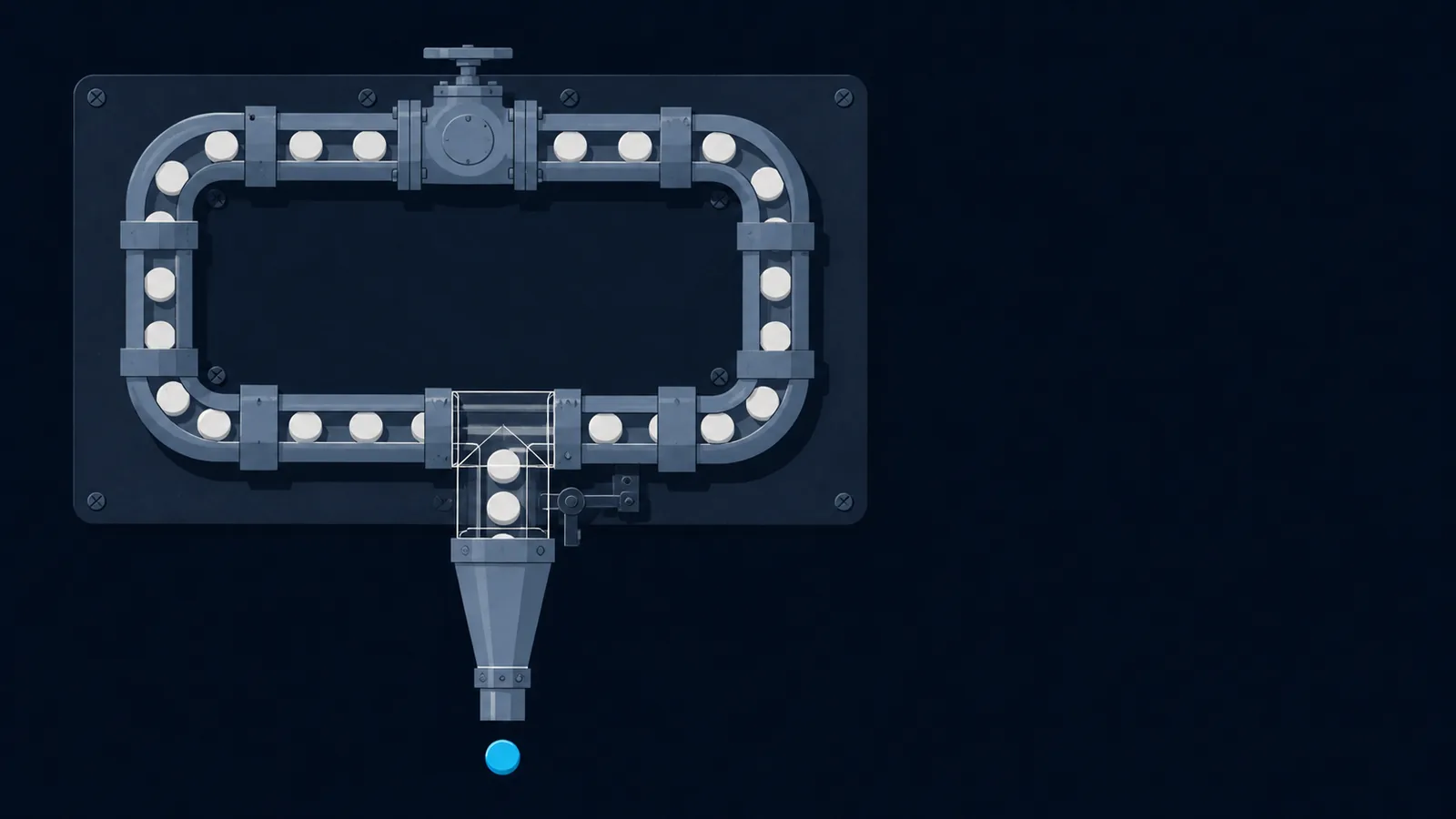
You already know the commands. Now make the shell do the repeating.
A CTF challenge hands you a binary that accepts a four-digit PIN, or a URL with an ?id= parameter, or a network service that wants one guess at a time. You could type each attempt by hand. You will lose. The whole point of a shell is that it will run the same line a thousand times faster than you can, filter the noise, and hand you only the line that contains the flag.
Bash scripting for CTF is not a new toolset. It is the same grep, curl, nc, and awk you already run by hand, glued together with three constructs: a loop, a pipe, and command substitution. If you can write one working command, you can wrap it in a loop and let it brute a parameter. Here is the smallest example worth writing, a PIN brute against a local binary that prints the flag on success:
#!/usr/bin/env bashset -euo pipefailfor pin in $(seq -w 0000 9999); doif ./vault "$pin" | grep -q picoCTF; thenecho "hit: $pin"./vault "$pin" | grep -o 'picoCTF{.*}'breakfidone
That is the entire idea. A range to walk, a command to run, a test to decide if you won, and a break to stop the moment you do. Everything below is a variation on this skeleton: different ranges (wordlists instead of numbers), different targets (URLs and sockets instead of a binary), and faster engines (xargs and parallel) when ten thousand iterations is too slow in series.
A brute-force harness is just a loop, a command, and a test for success. The skill is picking the test that says "flag" and nothing else.
This is the companion to the Linux CLI for CTF post, which covers the commands themselves. This post is about gluing them into automation. If you want the heavier general-purpose tooling (sockets, parsing, binary structs), the Python for CTF guide is the next step up. Bash wins when the job is "run this one thing many times and filter," which is most of the early game.
How do I brute a parameter with a loop?
Two loop shapes cover almost everything. A for loop walks a known set: numbers, a wordlist, a glob of files. A while read loop streams an unknown number of lines from a file or a pipe. Pick by whether you can enumerate the range up front.
For a numeric range, seq is the generator. The -w flag zero-pads so 7 becomes 0007, which matters when the target expects a fixed width:
# count 0 to 9999, zero-padded to four digitsfor n in $(seq -w 0000 9999); doecho "trying $n"done# C-style loop when you want arithmetic controlfor (( i = 0; i < 256; i++ )); doprintf 'byte %02x\n' "$i"done# brace expansion for small fixed sets (no command needed)for ext in php txt bak old; doecho "config.$ext"done
For a wordlist, stream it with while read instead of slurping it into for. A for word in $(cat list) loop splits on spaces and mangles any line with a space in it. while read reads one whole line at a time and survives weird input:
# the safe wordlist loop: -r keeps backslashes literal,# IFS= keeps leading and trailing spaces intactwhile IFS= read -r word; doif ./login admin "$word" | grep -q 'Welcome'; thenecho "password is: $word"breakfidone < rockyou.txt
Note the redirect < rockyou.txt feeds the file into the loop. The test inside is whatever distinguishes success from failure for your target. Against a binary that prints the flag, grep for picoCTF. Against a login, grep for the success string. Against something that changes its exit code, test that instead (covered in the gotchas section).
break on success. A brute that runs silently for ten minutes and does not stop when it wins wastes both your time and the remote instance. echo "trying $x" to stderr with >&2 so it does not pollute a piped result.How do pipes and $(...) chain tools together?
A pipe sends one command's output into the next command's input. Command substitution, written $(...), captures a command's output as a string you can store in a variable or drop into another command. These two are how you build a processing line instead of running tools one at a time and copying between them.
The pipe is left to right and reads like a sentence. Decode this, strip that, find the flag:
# pull every base64-looking blob from a file, decode, keep the flagcat dump.txt | grep -oE '[A-Za-z0-9+/]{20,}={0,2}' | base64 -d 2>/dev/null | grep picoCTF# the same idea without a useless cat (feed the file directly)grep -oE '[A-Za-z0-9+/]{20,}={0,2}' dump.txt | base64 -d 2>/dev/null | grep picoCTF
Command substitution captures output so you can compute with it. Use it to feed the result of one tool in as an argument to another:
# capture a value, then use ithost=$(dig +short ctf.example.com | head -1)echo "resolved to $host"# nest substitutions: count lines that matchedecho "found $(grep -c FLAG results.txt) candidate flags"# build a payload string from another command's outputtoken=$(curl -s https://target/csrf | grep -oP 'token=\K[a-f0-9]+')curl -s "https://target/action?token=$token"
$(...) over the older backtick form. It nests cleanly, it does not need escaped backslashes inside, and it is far easier to read when one substitution feeds another. The backtick syntax still works, but every modern style guide retires it.One subtlety that trips people: command substitution strips trailing newlines. That is usually what you want, but if you are comparing exact bytes (a hash, for instance) be aware the captured string has no terminating newline even though the raw command output did.
picoCTF 2026 Undo is the purest exercise in this section's idea. A flag is put through a chain of text transforms, and because every link in the chain is reversible, the solve is the same pipeline read right to left. Once you can compose a pipe you can also invert one, which is the entire challenge.
Which one-liner pulls the flag out of a wall of output?
Most of CTF bash is not the loop, it is the filter at the end that turns a flood of output into the one line you want. Six tools cover almost all of it: grep selects lines, cut and awk select columns, sed rewrites text, and sort with uniq collapses duplicates. Learn what each one is for and you stop reaching for the wrong one.
# grep -o prints only the match, not the whole line: extract the flag./prog | grep -oE 'picoCTF\{[^}]+\}'# grep -P with \K drops everything before the marker (PCRE lookbehind-lite)curl -s target | grep -oP 'flag: \K\S+'# awk: print the 2nd whitespace field; great for tabular tool outputnetstat -tlnp | awk '{print $4}'# awk with a custom separator: split on ':' and print field 3awk -F: '{print $3}' /etc/passwd# cut: simpler column slice when the delimiter is fixedecho 'user:1000:1000' | cut -d: -f2# sed: substitute in place on a stream (strip a prefix)echo 'flag=picoCTF{x}' | sed 's/^flag=//'# sort -u (or sort | uniq) to dedupe; uniq -c to count occurrencesgrep -oE 'picoCTF\{[^}]+\}' *.log | sort -u
The single most useful combination is sort then uniq -c then sort -rn: count how often each distinct line appears and rank by frequency. It is how you find the odd one out in a dump, the most common response length while fuzzing, or the single byte value that breaks a pattern:
# rank distinct response sizes; the outlier is usually the hitcat sizes.txt | sort | uniq -c | sort -rn | head# find the line that appears exactly once in a sea of duplicatessort responses.txt | uniq -u
How do I make ten thousand iterations finish this decade?
A serial for loop runs one iteration, waits for it to finish, then starts the next. If each iteration is a network request taking 200 milliseconds, ten thousand of them take over half an hour. xargs -P and GNU parallel run many at once and cut that to minutes.
xargs is everywhere by default. Feed it a list on stdin, give it a command template, and set -P for the number of parallel workers. The -I {} flag names a placeholder that each input line gets substituted into:
# 50 parallel curl workers, one per id, grep each for the flagseq 1 10000 | xargs -P 50 -I {} sh -c \'curl -s "https://target/item?id={}" | grep -q picoCTF && echo found {}'# parallel workers over a wordlist filexargs -P 20 -I {} ./check {} < candidates.txt
GNU parallel is friendlier when the job is more involved. It handles quoting better, shows a progress bar, and can keep output in input order:
# parallel reads args after :::, runs up to CPU-count jobs at onceparallel -j 40 'curl -s https://target/item?id={} | grep -q picoCTF && echo {}' ::: $(seq 1 10000)# from a file, with a live progress bar, results in input orderparallel --bar --keep-order ./check {} :::: candidates.txt
-P 10, watch for errors or empty responses, and climb only if the box keeps up. Local binaries you can hammer freely.One more reason to prefer parallel for anything past a trivial loop: it interleaves output cleanly. Two xargs workers writing to the same terminal can shred each other's lines mid-write. parallel buffers per job so each result lands whole.
How do I fuzz a web parameter and grep for the flag?
A web challenge with a guessable parameter is a curl loop. The pattern is identical to the binary brute: walk a range, fire the request, test the response. The only new piece is reading the response the way the challenge encodes success, which is usually a string in the body, a status code, or a content-length that differs on the winning guess.
#!/usr/bin/env bashset -euo pipefailbase='https://target.picoctf.net/item'for id in $(seq 1 5000); dobody=$(curl -s "$base?id=$id")if grep -q picoCTF <<< "$body"; thenecho "id $id leaked the flag:"grep -oE 'picoCTF\{[^}]+\}' <<< "$body"breakfidone
The <<< is a here-string: it feeds the variable into grep as if it were stdin, no echo pipe needed. When the tell-tale is not text but a status code or size, capture those with curl's -w format and compare:
# brute a directory; flag the responses that are not 404while IFS= read -r path; docode=$(curl -s -o /dev/null -w '%{http_code}' "https://target/$path")if [[ "$code" != 404 ]]; thenecho "$code $path"fidone < wordlist.txt# size-based oracle: the winning guess returns a different byte countfor u in admin root guest; dosize=$(curl -s "https://target/user?name=$u" | wc -c)echo "$size $u"done | sort -n
The path-brute loop above is the whole idea behind picoCTF 2019 / Where are the robots: the hidden page is not linked anywhere, so you enumerate candidate paths (starting from robots.txt) and let curl plus a status-code test tell you which one exists.
For anything stateful (a CSRF token, a session cookie, a login step before the fuzz), grab the value first with command substitution and a grep -oP, then thread it through each request. Use curl -c jar -b jar to persist cookies across calls in the same jar file:
# log in once, save cookies, then fuzz authenticatedcurl -s -c jar -d 'user=guest&pass=guest' https://target/login > /dev/nullfor id in $(seq 1 1000); docurl -s -b jar "https://target/doc?id=$id" | grep -q picoCTF && echo "hit $id"done
ffuf or wfuzz does, and those are faster and have built-in filtering. Reach for the bash loop when the logic is custom (a token to thread, a multi-step flow, an odd success oracle) and a one-flag fuzzer cannot express it.How do I loop against a raw network service?
Some challenges speak a plain TCP protocol: connect, send a guess, read a reply, repeat.nc (netcat) is the client. The trick is feeding it input non-interactively so a loop can drive it. Pipe your guess in, let nc send it, capture the reply, test it. picoCTF 2024 / Binary Search is exactly this shape: the service answers Higher or Lower to each guess, so a loop that reads the reply and narrows the range lands the number in a handful of round trips.
#!/usr/bin/env bashset -euo pipefailhost=mercury.picoctf.netport=12345for guess in $(seq 1 9999); doreply=$(echo "$guess" | nc -q1 "$host" "$port")if grep -q picoCTF <<< "$reply"; thenecho "win on $guess"grep -oE 'picoCTF\{[^}]+\}' <<< "$reply"breakfidone
The -q1 tells nc to quit one second after stdin closes, so it does not hang forever waiting for more data. Some netcat builds use -w1 for a connect or read timeout instead. If your nc lacks both, the more portable answer is to drive the socket from a tiny tool that does timeouts properly.
nc is fragile for anything beyond send-one-line-read-one-line. If the service has a prompt to skip, a banner to read past, or a back-and-forth exchange, the timing gets flaky fast. The moment you need to read a prompt before sending, switch to pwntools in the Python for CTF guide or the deeper patterns in the netcat for CTF guide. Bash nc loops are for the simplest oracle services only.If bash is all you have and you must talk to a socket without nc, modern bash can open a TCP connection through the /dev/tcp pseudo-device. It is a bash builtin feature, not a real file, and it is handy on a stripped box:
# send a line and read the reply with no nc at allexec 3<>/dev/tcp/mercury.picoctf.net/12345echo 'hello' >&3cat <&3exec 3>&- # close the connection
How do I turn a working one-liner into a reusable solve.sh?
Once a one-liner works, promote it to a script. A real solve.sh takes the host and port as arguments instead of hard-coding them, fails loudly when something is wrong, and prints only the flag on success. That last part matters: a solve you can pipe into the next step is worth more than one that dumps a screen of noise.
#!/usr/bin/env bash# solve.sh - brute a PIN oracle over TCP and print the flagset -euo pipefailhost=${1:?usage: ./solve.sh <host> <port>}port=${2:?usage: ./solve.sh <host> <port>}log() { echo "[*] $*" >&2; } # progress to stderr, flag to stdoutlog "target $host:$port"for pin in $(seq -w 0000 9999); doreply=$(echo "$pin" | nc -q1 "$host" "$port" 2>/dev/null || true)if grep -q picoCTF <<< "$reply"; thenlog "cracked: pin=$pin"grep -oE 'picoCTF\{[^}]+\}' <<< "$reply" # the only thing on stdoutexit 0fidonelog "exhausted range, no flag"exit 1
A few habits earn their place here. ${1:?msg} aborts with a usage message if the argument is missing, so the script never runs half-configured. The log() helper writes progress to stderr (>&2) while the flag alone goes to stdout, so ./solve.sh host port | tee flag.txt captures exactly the flag and nothing else. The || true after nc keeps one failed connection from killing the whole run under set -e.
A good solve script is loud on stderr and silent on stdout until it has the flag. Then you can pipe it, log it, or paste it without surgery.
Make it executable with chmod +x solve.sh and keep it in the challenge directory next to the binary and your notes. When the instance resets and the port changes, you re-run one command instead of editing a one-liner from memory.
What quietly breaks bash scripts?
Bash will happily run a broken script and tell you nothing. The failures are almost always one of four things: a missing quote, word-splitting on whitespace, an exit code you misread, or a typo in a variable name that expands to empty. Here is how each one bites and the one-line defense.
Unquoted variables
./prog $word splits $word on spaces and expands globs. A wordlist entry of a b becomes two arguments. Always quote: ./prog "$word". The only time you leave a variable unquoted is when you specifically want splitting.
IFS and read
while read line trims leading and trailing whitespace and eats backslashes. Use while IFS= read -r line to read each line exactly as written. This is the single most common silent corruption in wordlist loops.
Exit codes and pipes
$? is the exit status of the last command: 0 is success, non-zero is failure. In a pipe, $? reflects only the last stage unless you set pipefail. grep returns non-zero when it matches nothing, which if grep -q relies on.
Unset variables
A typo like $pots for $port expands to an empty string and your command runs against nothing. set -u turns that into a hard error instead of a silent wrong run.
The blanket defense is one line at the top of every script:
set -euo pipefail# -e exit the moment any command fails# -u error on use of an unset variable (catches typos)# -o pipefail a pipe fails if ANY stage fails, not just the last
One caveat: set -e plus a command you expect to fail (like a grep that finds nothing, or an nc that times out) will kill your script. That is why the solve script above appends || true to the nc call and tests grep inside an if rather than letting it run bare. Use set -e for real, then explicitly mark the commands that are allowed to fail.
bash -x ./solve.sh or add set -x to trace every expanded command as it runs. You see exactly what the shell ran after quoting and substitution, which is almost always where the bug is. Paste a suspect line into the Bash Pitfalls wiki examples if you are unsure whether a construct is safe.There is one bash sub-genre this guide deliberately does not cover, and it is worth knowing it exists so you recognize it instantly: the restricted shell. Instead of writing a script, you are dropped into a shell with characters or commands removed and asked to run a command anyway. Special, Specialer, and SansAlpha are the ladder. The skill is inverted: here you are trying to write clear shell, there you are trying to rebuild a command out of whatever expansion the filter forgot to block, typically $(<file) instead of cat or globbing instead of literal names. The quoting rules above are exactly what you exploit.
useless belongs in the same drawer for a different reason: the answer is in the script's own man page. Read the documentation of the thing in front of you before you automate against it.
Quick reference
The harness skeleton
set -euo pipefail # safety net at the topfor x in $(seq -w 0000 9999); do ... # numeric brute, zero-paddedwhile IFS= read -r w; do ...; done < wl # wordlist brute, line-safeif cmd | grep -q picoCTF; then ...; fi # the success testgrep -oE 'picoCTF\{[^}]+\}' # extract just the flagbreak / exit 0 # stop the instant you win
Glue and filters
val=$(cmd) # capture output into a variablecmd <<< "$val" # feed a variable in as stdin (here-string)a | b | c # pipe: output of a flows into b into cawk '{print $2}' # 2nd whitespace columnawk -F: '{print $3}' # 3rd colon-delimited columncut -d, -f1 # 1st comma field (fixed delimiter)sed 's/old/new/' # substitute on a streamsort | uniq -c | sort -rn # rank distinct lines by frequency
Speed and targets
seq 1 9999 | xargs -P 20 -I {} ./check {} # 20 parallel workersparallel -j 40 ./check {} ::: $(seq 1 9999) # GNU parallelcurl -s -o /dev/null -w '%{http_code}' URL # status-code oraclecurl -s URL | wc -c # response-size oracleecho guess | nc -q1 host port # one-shot socket talkexec 3<>/dev/tcp/host/port; echo hi >&3; cat <&3 # nc-less socket
For the commands these scripts are built from, keep the Linux CLI for CTF post open in the next tab, and when a job outgrows bash (parsing, sockets with state, binary structs) reach for the Python for CTF guide. The deeper mechanics of the bash language itself live in the GNU Bash reference manual.
Write the command once, prove it on a single input, then wrap it in a loop and let the shell do the thousand repetitions you were never going to type by hand.
Sources and further reading
Shell scripting bugs are almost always word-splitting bugs, and the manual is explicit about when splitting happens.
- The Bash reference manual documents the expansion order: brace, tilde, parameter, command substitution, arithmetic, word splitting, then filename expansion. Quoting a variable stops the last two, which is why an unquoted $var breaks on a filename with a space and a quoted one does not.
- The POSIX Shell Command Language defines the portable subset. Bash arrays, [[ ]], and process substitution are all Bash extensions that fail under dash, which is what /bin/sh is on Debian and Ubuntu.
- GNU Coreutils for the tools the script glues together, and ShellCheck for catching the quoting bug before it costs you an hour.
- POSIX.1-2024, the Open Group Base Specifications for the portable subset. When a script works in bash and dies in the challenge's
sh, this is the document that says which of the two was wrong.